Start sending invites for free - no card required - Click here

The Complete Guide to Modern Calendar Invitations and Scheduling
In this guide, we’ll explore what calendar invitations are, why they matter, how they work across major platforms, and how people manage large-scale scheduling needs while maintaining clarity and efficiency.
BLOGS
12/2/20253 min read

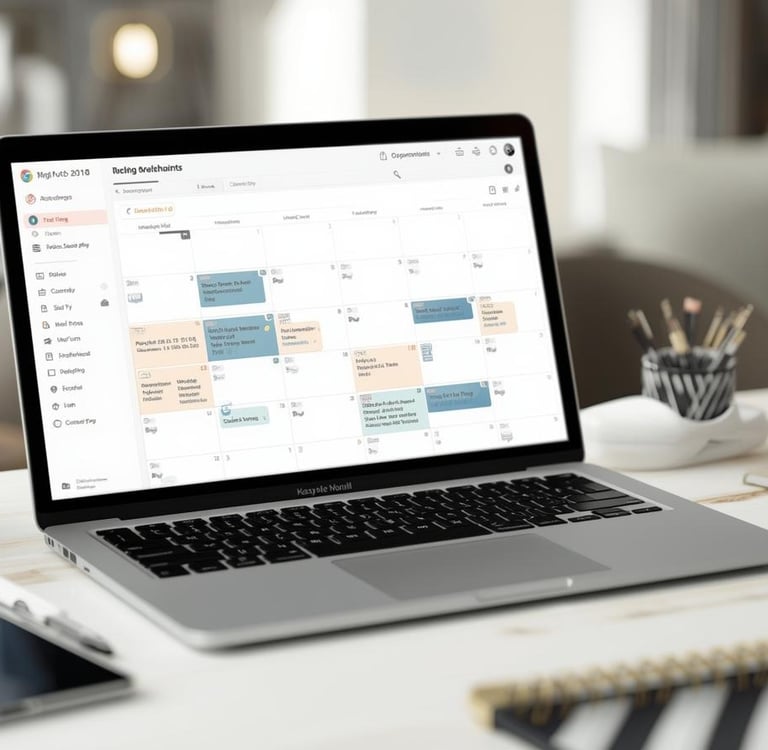
Digital communication has evolved dramatically over the past decade, yet one element remains surprisingly constant: the importance of well-organized schedules. Whether it’s a team meeting, a school event, a webinar, or a personal appointment, calendar invitations play a central role in helping people stay informed and prepared. As individuals and organizations rely more heavily on remote communication, understanding how calendar invites work and how to maximize their effectiveness has become a valuable skill.
In this guide, we’ll explore what calendar invitations are, why they matter, how they work across major platforms, and how people manage large-scale scheduling needs while maintaining clarity and efficiency.
1. What Exactly Is a Calendar Invitation?
A calendar invitation, often referred to as an “event invite,” is a digital notification that helps recipients add an event directly to their personal or professional calendar. The moment a user accepts a calendar invitation, the event details automatically sync to their calendar app. This reduces the likelihood of confusion, miscommunication, or forgotten dates.
Calendar invites typically include:
Event title
Date and time
Location (physical or virtual)
Description or agenda
Reminders
Attachments or links
Organizer name
RSVP options
The key benefit is that recipients receive all required information in one place, with optional reminders that help them arrive on time and prepared.
2. The Rise of Digital Scheduling
With remote work, hybrid offices, and global teams becoming normal, the need for reliable scheduling tools has grown. People may need to coordinate with attendees across multiple time zones, share recurring meeting times, or manage shifting schedules. This is where smart digital calendar systems shine.
Platforms like Gmail, Outlook, and others allow users to create events, set reminders, and send invitations with ease. For many professionals, knowing how to send a calendar invite on Gmail or understanding how to send a calendar invite on Outlook is an essential part of their daily workflow.
3. Understanding Cross-Platform Compatibility
One of the lesser-known challenges in scheduling is interoperability ensuring that an event created in one calendar system opens correctly in another. Fortunately, most major email and calendar platforms follow common standards, making event sharing straightforward.
For example:
Gmail’s calendar system integrates seamlessly with Android, Windows, and iOS devices.
Outlook calendar events are widely used in corporate environments and sync with mobile devices, desktop clients, and cloud apps.
Knowing how to send a calendar invite Outlook users can accept, even if they use another service, is helpful in maintaining smooth communication.
4. Calendar Invitations for Teams, Classes, and Events
A well-structured event invite is more than just an appointment, it becomes a centralized source of truth.
Teams use calendar invites for:
Weekly check-ins
Brainstorming sessions
Performance reviews
Client calls
Product walkthroughs
Educators or organizations use them for:
Online classes
Workshops
Orientation programs
Training sessions
Meanwhile, individuals may rely on invites for:
Personal appointments
Travel planning
Celebrations
Fitness or wellness sessions
No matter the context, the simplicity and clarity of a digital invitation prevent misunderstandings and help everyone stay organized.
5. Managing Large Events and Mass Scheduling
Handling one event invitation is easy, but what about communicating with dozens, hundreds, or even thousands of recipients?
This is where techniques for coordinating mass calendar invites in Google or distributing a bulk calendar of events come into play. Businesses, schools, and community groups often need to notify large numbers of people at once.
Situations that demand large-scale scheduling include:
Conferences
Online webinars
Alumni events
Training programs
Product launches
Annual company meetings
To ensure success, organizers must pay attention to:
Clarity
Event titles and descriptions should be concise and informative.
Time Zones
International audiences may join from different locations, so the system must convert times accurately.
Reminders
Flexible reminder settings ensure higher attendance.
Updates
If dates or meeting links change, updated calendar invites automatically sync across devices.
6. Practical Tips for Better Calendar Management
Whether you’re scheduling for yourself or coordinating a major event, these tips can help you get greater value from your digital calendar:
Tip 1: Use clear, descriptive titles
Avoid vague titles like “Meeting” specify purpose and topic.
Tip 2: Add useful context
Brief agendas or links help attendees prepare.
Tip 3: Set reminders wisely
One reminder before the event and another on the day of the event usually work well.
Tip 4: Test your links
Ensure video meeting links open properly.
Tip 5: Avoid overloading
Sending too many event reminders or multiple versions of the same invite may overwhelm recipients.
7. Calendar Etiquette for Professionals
Etiquette matters in digital scheduling as much as it does in face-to-face meetings. Professionals follow a few unwritten rules:
Send invites early when scheduling large events
Keep recipients informed of any changes
Clearly indicate whether attendance is optional or mandatory
Avoid unnecessary meetings to respect time
These habits strengthen communication and help maintain smooth collaboration.
8. What the Future Holds for Digital Scheduling
As technology advances, calendar systems are becoming smarter. Predictions include:
Automatic conflict detection
AI-powered suggestion systems for ideal meeting times
Smart tags and categories
Location-aware event reminders
Integrated scheduling with productivity apps
Whether people rely on simple invitations or complex event workflows, calendars remain one of the most reliable planning tools in daily life.
Conclusion
Calendar invitations are an essential part of modern communication. They help people stay organized, connect smoothly, and coordinate across distances. Whether you're learning how to send a calendar invite on Gmail or exploring how to send outlook calendar invite options, the goal is the same: to communicate clearly and make scheduling easier for everyone involved.
Digital scheduling will only become more sophisticated, and improving your understanding of calendar invites can help you navigate both personal and professional life with greater ease.
BulkCalendar.in
Send Bulk & Mass Calendar Invites Instantly
Contact us
Engagement
sales@letscalendar.com
+44 (0) 203 916 5117
© 2025. All rights reserved.
Help?